Best AI Rendering Generators in 2026 vs Traditional 3D Rendering
Discover when to use an AI 3D rendering generator for 3D assets and when professional rendering delivers better results for your projects.

The rise of the AI rendering generator is changing how businesses create visuals. From architecture to product marketing, AI tools promise fast and affordable results. But many professionals still ask one key question: can an AI rendering replace professional 3D rendering?
In this guide, we break down how AI tools work, where they excel, and when traditional rendering remains essential for real business results.
What Is an AI 3D Rendering Generator?
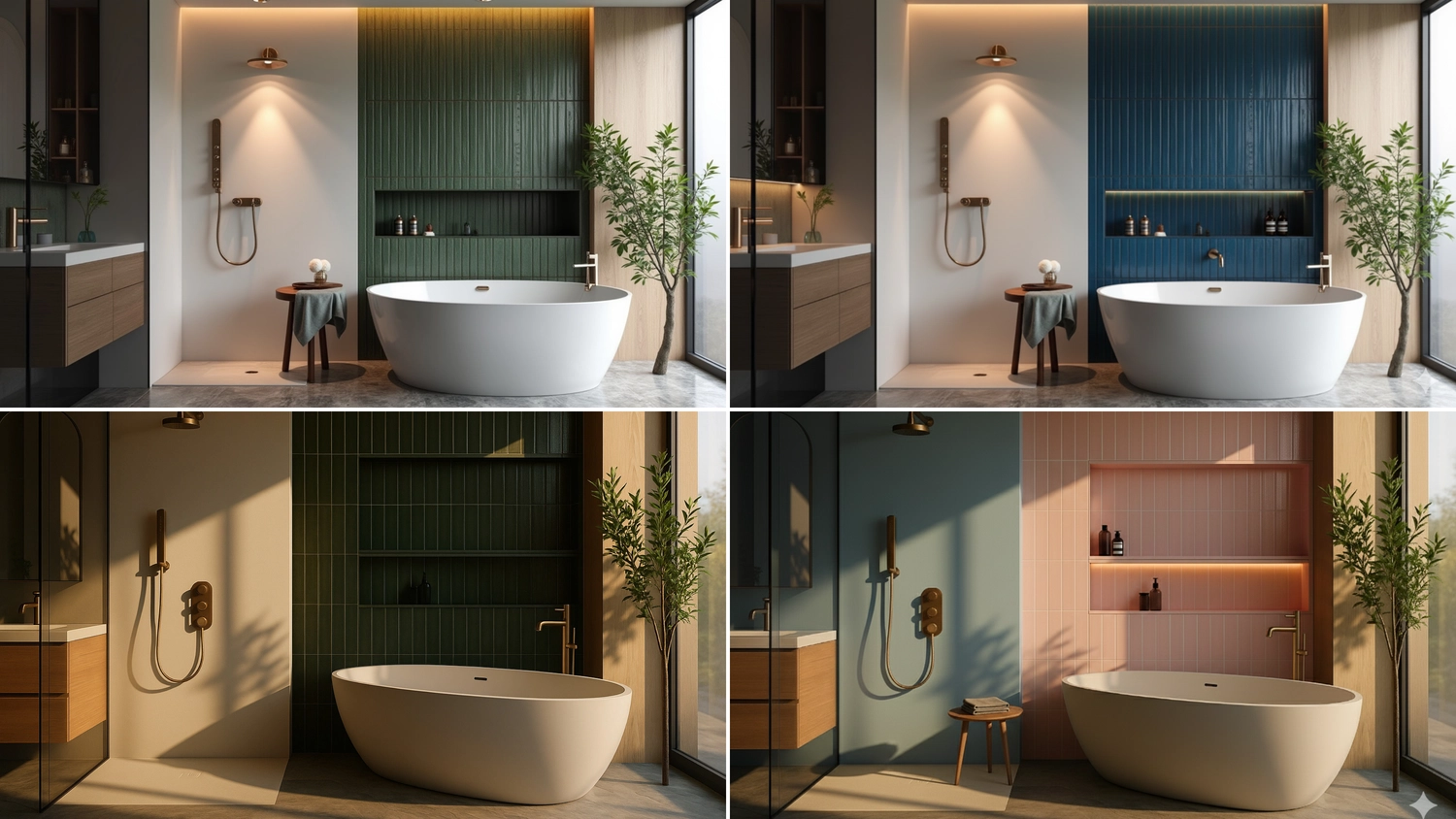
An AI render generator is a tool that creates 3D visuals using artificial intelligence. Instead of building scenes manually, users can generate images from text prompts, sketches, or reference images.
There are several common approaches:
• Text-to-image generation
Users describe a scene, and the AI generator creates a visual
• Image-to-render workflows
AI improves or transforms existing visuals into more detailed results
• AI-enhanced rendering
Automation and smart tools support traditional 3D workflows
Many professionals use these tools for:
• Concept ideation
• Mood boards
• Early-stage design and modeling drafts
The popularity of the 3D rendering AI generator continues to grow because it is fast, accessible, and easy to use. It allows users to generate visuals quickly without great technical skills or complex rendering software.
However, these tools have an important limitation. An AI-generated render may look impressive at first glance, but it often lacks precision, consistency, and control. This limitation makes it difficult to use such visuals for production-ready results in architecture, real estate, or product marketing.
For projects that require accuracy, consistency, and full creative control, traditional 3D rendering remains the more reliable solution for delivering production-ready, high-quality visuals.
Top AI Rendering Generators in 2026
In 2026, top AI rendering generators for 3D assets include Meshy AI, Tripo AI, Luma AI, Spline AI, Rodin, and Kaedim. Each tool has its own strengths, depending on your workflow and goals.
Meshy AI
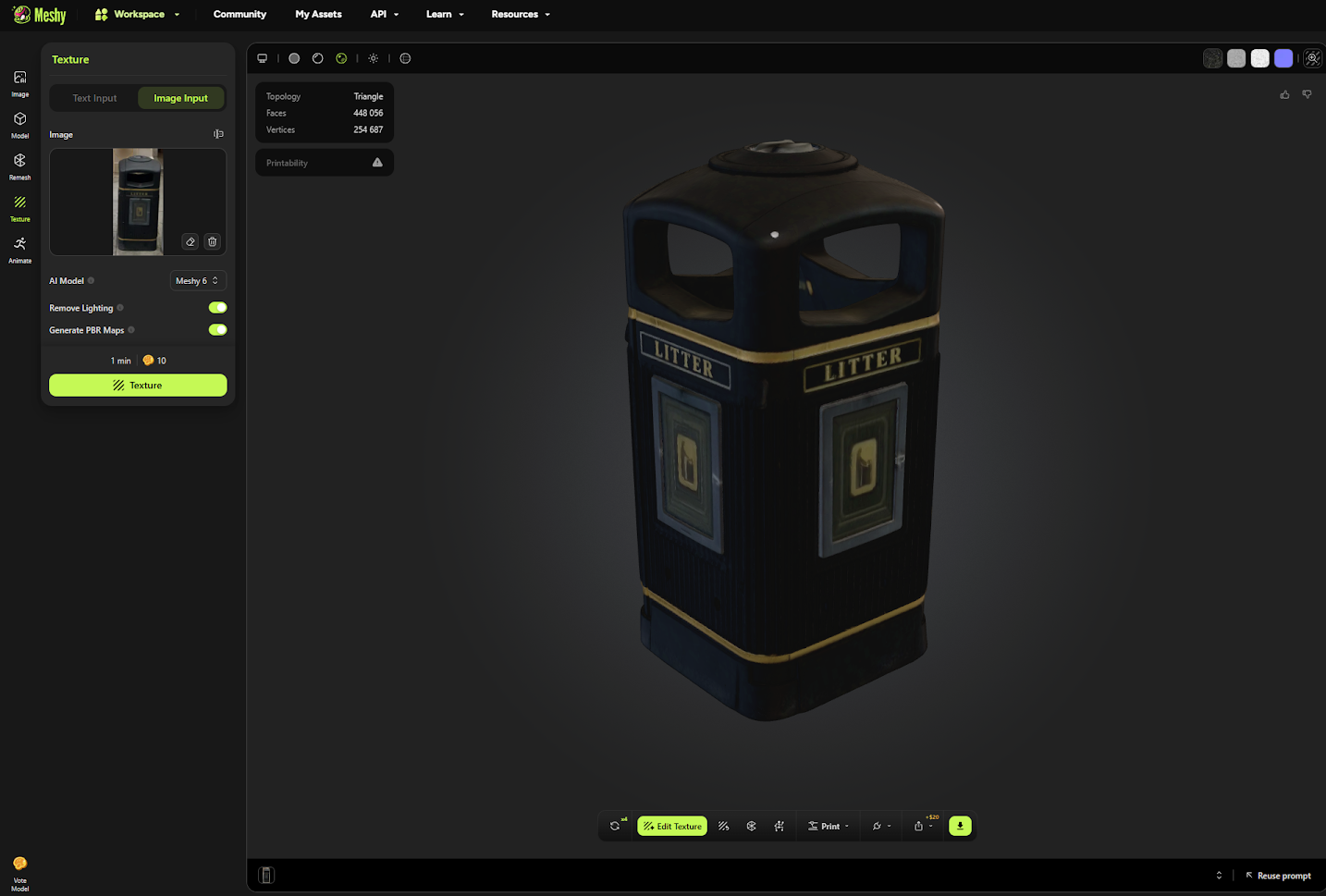
Meshy is one of the most flexible tools in the market. It combines text-to-3D and image-to-3D features into a single platform.
Best for: early-stage asset creation using a 3D render AI generator, allowing users to quickly generate structured 3D models with applied materials and prepare them for further refinement, editing, and integration into broader production workflows.
Key features:
• Converts prompts into textured 3D models
• Supports PBR materials
• Fast generation speed
Advantages:
• Easy to use
• Good balance between speed and quality
Disadvantages:
• Limited control over fine details
• Results may vary between iterations
Pricing:
Free plan + Paid Plans from $15/month
Tripo AI
Tripo focuses on scalable content creation and automation.
Best for: automated workflows with an AI 3D render generator, enabling teams to generate and export multiple 3D assets efficiently, integrate them into existing systems, and support continuous content production across different platforms and projects.
Key features:
• Text-to-3D and image-to-3D workflows
• Export formats (OBJ, GLB, USDZ)
• API integration
Advantages:
• Good for large pipelines
• Flexible output formats
Disadvantages:
• Requires setup for advanced use
• Not ideal for high-end visuals
Pricing:
Free plan + Paid Plans from $19,90/month
Luma AI (Genie)
Luma AI is known for speed and ease of use.
Best for: concept visuals and AI-generated rendering, helping teams quickly explore ideas, test creative directions, and build early-stage assets for immersive environments and interactive experiences without complex setup or long production time.
Key features:
• Fast model generation
• NeRF-based capture
• Mobile-friendly workflows
Advantages:
• Very fast results
• Good for prototyping
Disadvantages:
• Limited realism for commercial use
• Less control over final output
Pricing:
Free plan limited use + Paid Plans from $25/month
Spline AI
Spline is a browser-based 3D tool with AI features.
Best for: interactive projects using an AI 3D rendering generator allow teams to build dynamic scenes, collaborate in real time, and create engaging 3D experiences optimized for browsers, digital platforms, and user interaction.
Key features:
• Real-time collaboration
• Interactive design tools
• Web-based rendering
Advantages:
• Easy sharing
• Good for UI/UX
Disadvantages:
• Limited to photorealism
• Not suitable for complex scenes
Pricing:
Free plan + Paid Plans from $12/month
Rodin (Hyper 3D)
Rodin is known for producing detailed geometry and strong surface quality.
Best for: concept visuals and AI-generated renders with greater detail, enabling creators to produce refined geometry, enhance surface quality, and develop visually rich assets suitable for presentation, design exploration, and detailed static outputs.
Key features:
• High-detail mesh generation
• Strong visual fidelity
• Focus on static visuals
Advantages:
• Good detail level for concept models
• Suitable for design exploration
Disadvantages:
• Slower workflow
• Not ideal for animation or large scenes
Pricing:
Credit-based system (from $15 for 30 credits).
Kaedim
Kaedim focuses on converting 2D images into structured 3D models.
Best for: structured workflows using an AI render generator, helping teams convert visual references into clean, usable 3D assets with organized geometry, making them suitable for integration into production pipelines and real-time environments.
Key features:
• Image-to-3D conversion
• Clean topology
• Game-ready assets
Advantages:
• Good for production pipelines
• Structured geometry
Disadvantages:
• Requires manual refinement
• Limited control over artistic style
Pricing:
Custom Pricing
Best AI Rendering Generator in 2026: Quick Comparison Table
What Are the Disadvantages of AI 3D Rendering Generators?
Despite the rapid growth of best AI rendering generator solutions, there are still clear limitations:
Main limitations of AI 3D rendering generator include:
• Lack of precision
• Limited control
• Inconsistent results
• No technical understanding
• Licensing risks
1. Lack of Precision and Control
An AI-generated render or 3D model often lacks accuracy.
• Geometry can be incorrect
• Proportions may not match real plans
• Hard to follow CAD drawings
Such outputs often fail to meet the precision required for real projects.
2. Limited Customization
AI tools do not provide detailed control.
• Difficult to adjust materials and lighting
• Limited camera control
• Hard to match brand guidelines
These limitations make it difficult to achieve consistent and brand-ready visual results.
3. Inconsistency Across Iterations
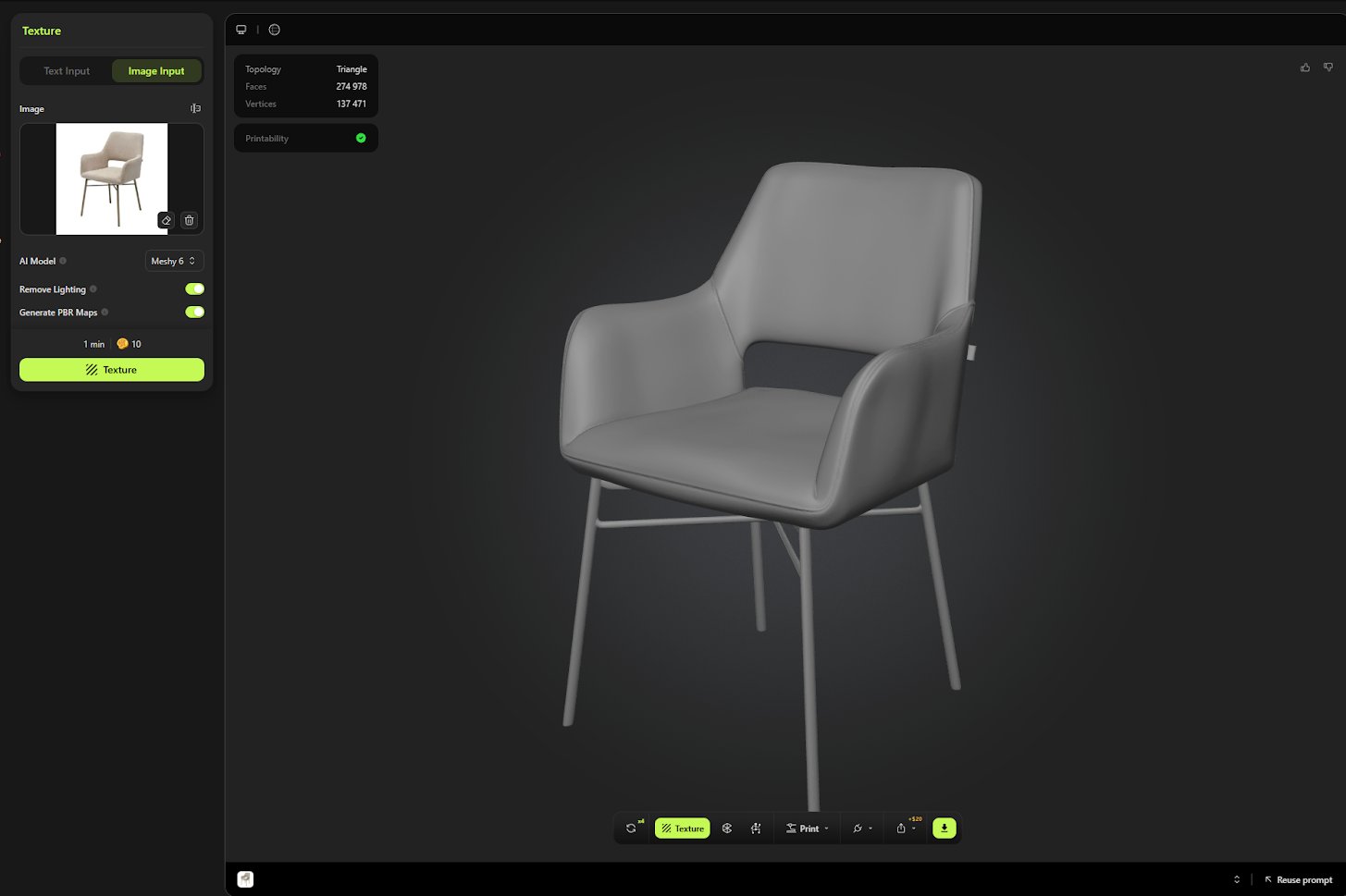
Even small prompt changes create different results.
• Hard to maintain visual consistency
• Problematic for large projects
• Not reliable for campaigns
An AI 3D render generator often struggles to deliver consistent results across iterations.
4. No Technical Understanding
AI does not understand real-world construction.
• Materials may look unrealistic
• Structures may be incorrect
• Design logic is missing
Such limitations often lead to visuals that look convincing but lack real-world accuracy.
5. Licensing and Ownership Risks
Some AI-generated renderings lack clear rights.
• Developers restrict commercial use
• Legal risks for brands
Unclear ownership can create legal risks and limit safe commercial use.
What Professional 3D Rendering Delivers
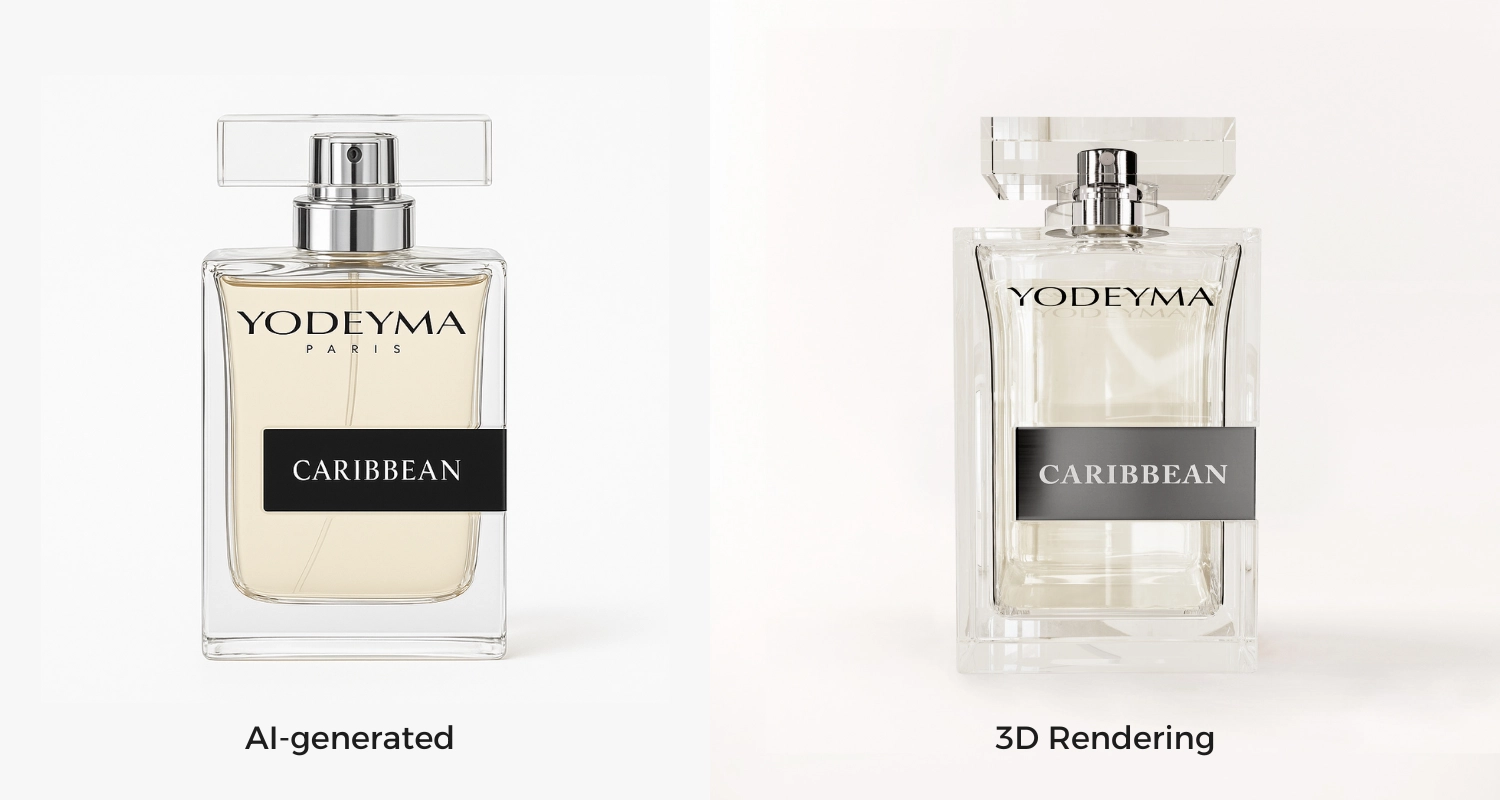
Choosing the right visualization approach between CGI or AI is key to delivering a clear, effective project presentation. Professional 3D rendering delivers reliable, high-quality visuals that support real business goals. It combines technical accuracy with creative control.
Photorealistic quality
Accurate lighting, textures, reflections, and shadows create visuals that match real-world conditions. These photorealistic visuals help viewers trust what they see.
Full creative and technical control
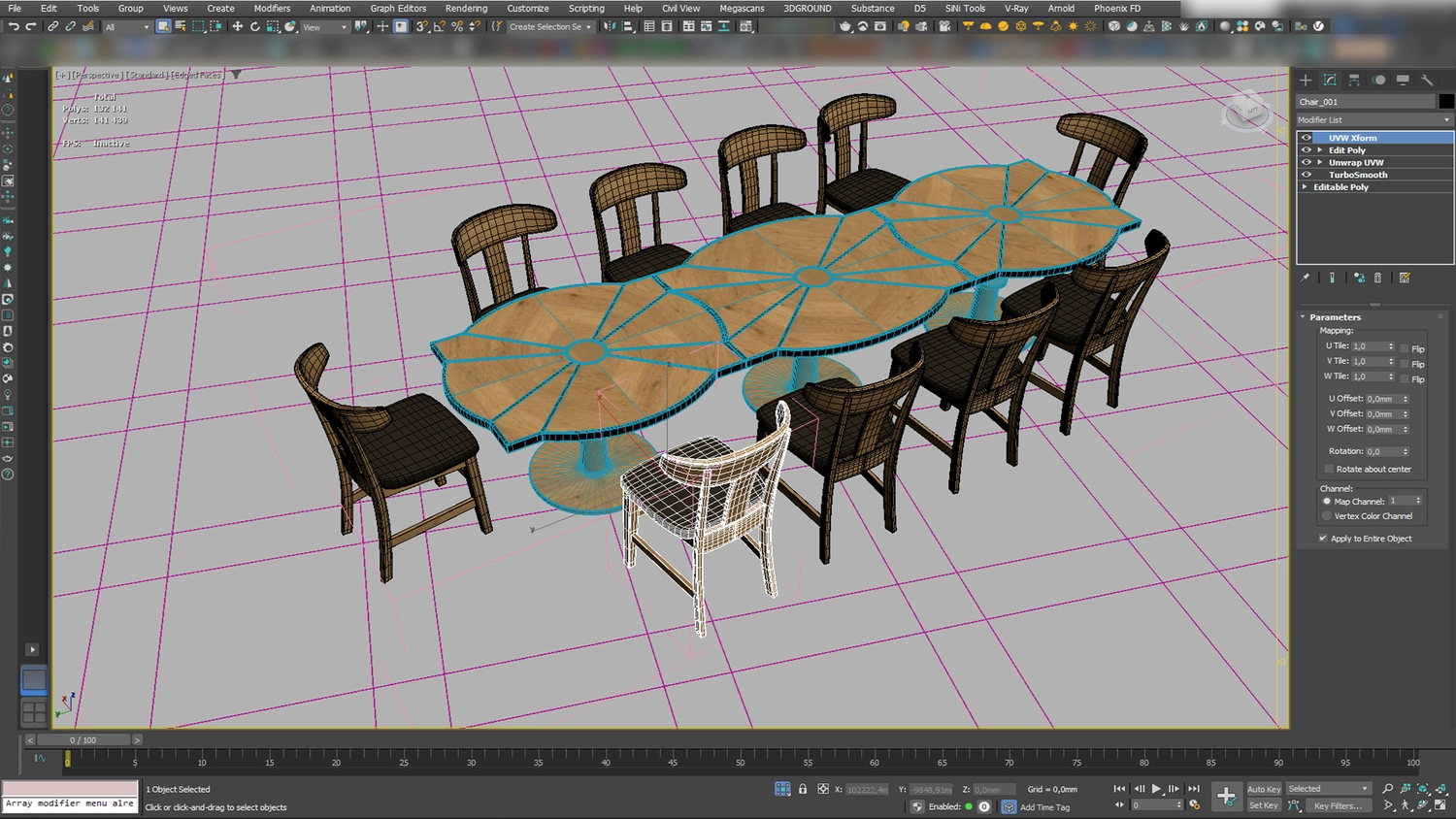
Designers base every detail on architectural drawings and project data. They adjust materials, camera angles, and lighting to achieve the exact result.
Consistency across the project
All visuals follow a single style and logic, ensuring cohesive results across marketing campaigns, presentations, and large-scale developments.
Industry expertise
Experienced teams understand architecture, interiors, and product design. They can solve complex challenges and present ideas clearly.
Post-production and revisions
Structured workflows include feedback at every stage. Teams refine and improve visuals until they fully meet project requirements.
Professional rendering delivers accuracy, consistency, and strong visual impact. As a result, professional 3D rendering remains essential for delivering accurate, consistent, and marketing-ready visuals.
.webp)
3D Asset AI Rendering Generator vs 3D Rendering Company
Choosing between an AI tool and a professional studio depends on your goals, timeline, and quality requirements. Both options offer value, but they serve different purposes.
AI Rendering Tools: Speed and Accessibility
AI tools are fast and accessible. They help create quick visuals for ideas and early concepts. However, software provides tools, not expertise.
Teams still need time to:
• learn workflows
• manage prompts
• fix errors and inconsistencies
Professional Rendering: Accuracy and Control
Professional rendering companies offer structured processes and experienced teams. They ensure high accuracy, especially for architecture, real estate, and product visuals.
Key advantages include:
• precise control over lighting, materials, and composition
• alignment with real project data
• reliable and predictable results
Consistency Across Projects
Consistency is a major difference between the two approaches.
• AI outputs may vary across images, making it hard to maintain a unified style
• Professional studios deliver consistent visuals that follow brand guidelines
Cost and Scalability
Cost is more complex than it first appears.
• AI tools require subscriptions, hardware, and training
• Professional services may cost more per image, but they scale better for large projects
• Structured workflows help reduce risks and avoid costly mistakes
Business Impact
Professional rendering delivers stronger business results:
• higher conversion rates
• clearer communication with clients and investors
• stronger brand perception
• reduced risk of misinterpretation
Final Insight
AI tools work well for quick ideas and early concepts. However, real projects require accuracy, consistency, and control.
By choosing PIXREADY, businesses gain a reliable partner who combines advanced tools with expert control to deliver consistent, high-quality visuals that support marketing goals, improve project clarity, and drive stronger commercial results.
Why Choose PIXREADY Instead of AI Rendering Generator
Choosing PIXREADY means working with a team that focuses on real business results, not just fast visuals, recognized with a Bronze award at the WBDS Awards 2025/26 for product visualization.
• Industry expertise
Strong experience in product, architectural, and marketing visualization
• High-end photorealism
Accurate lighting, materials, and details that match real-world expectations
• Creative control
Full supervision of every stage ensures quality and precision
• Consistency across campaigns
All visuals follow one style and support brand identity
• Hybrid workflow
Smart use of software and AI combined with human artistic direction
• Advanced technology
Modern tools and workflows designed for strong marketing performance
By combining strategic thinking with advanced visualization techniques, PIXREADY helps businesses present projects more clearly, improve decision-making, and create stronger connections with investors, clients, and audiences across different industries and market segments.
PIXREADY delivers visuals that are both realistic and effective. These visuals help businesses improve communication, attract clients, and present projects with confidence across all marketing channels and platforms.
.webp)
Case Study: Bronte Residential & Commercial Complex Visualization
PIXREADY delivered premium exterior 3D visuals for the Bronte Residential & Commercial Complex to support pre-sales and investment marketing. The project required over 20 high-quality images within a tight timeline. Our team created 25 detailed exterior renderings that showed architecture, landscaping, and lifestyle.
We focused on realistic lighting, natural materials, and a calm Mediterranean atmosphere. Clear camera angles showed the scale and daily life in the complex. The team used the visuals for banners, presentations, and digital marketing. As a result, the client launched sales and attracted investor interest before construction began.
Conclusion
AI tools offer speed and flexibility, but they cannot fully replace professional 3D rendering. High-quality visuals require accuracy, consistency, and creative control, which are essential for real projects. Businesses that invest in professional rendering gain stronger marketing results, clearer communication, and better decision-making.
For long-term success, combining AI rendering generator technology with expert visualization ensures more reliable and impactful outcomes across all stages of development and promotion.
Get 3d expert on your side
More than a 3D rendering vendor, PIXREADY acts as a strategic CGI partner helping brands
сreate scalable visual content for marketing, sales, and product launches. Let's explore your
project and discuss how CGI can support your business goals!
.png)
Founded by a group of technology, architecture, and design professionals in 2018, PIXREADY is one of the challengers empowering the 3D visualization industry and making its products and services more affordable.We are determined to assist businesses around the world to create photorealistic images of their products and ideas and enrich the experience of their clients. We focus on the details, with the highest precision in every pixel.

-2.webp)