3D Exterior Rendering Software vs. Professional Studio: What to Choose
3D Exterior Rendering Software vs. Professional Studio: What to Choose
Discover how 3D exterior rendering software helps architects, developers, and marketers create high-quality visuals, streamline production workflows, and decide when partnering with a professional studio delivers better results at scale.
3D rendering software for exterior design started as a specialized domain and is now a standard toolkit across architecture, real estate, and product marketing. What once required a dedicated team now ships as a plugin. AI has only accelerated that shift.
But access to tools and the ability to use them well are different things. The real question most teams eventually face is whether it makes more sense to build that capability in-house or work with a studio that produces visuals at scale, under commercial pressure, day in and day out.
3D Exterior Rendering Software: What It Is and How It Works
3D software for exterior rendering takes 3D geometry and produces photorealistic images of buildings and outdoor spaces. Stills, walkthrough animations, interactive visuals — whichever format the brief demands.
Think of 3D rendering exterior software as a three-stage pipeline, and they are worth keeping distinct. Modeling is where a 3D artist builds the geometry: shape, proportions, the spatial logic of a structure. Nothing looks real yet; it is all wireframes and grey surfaces. Then comes rendering, where the scene gets lighting, materials, and camera angles. Think of it as the difference between a blueprint and a photograph: same information, completely different emotional register. Post-production closes things out with color grading, compositing, final corrections in Photoshop or DaVinci Resolve.
Who uses it? Architects mainly, to show clients what a building will look like before it gets built. Real estate developers who need to sell units in projects that are still months or years from completion. Product designers, to show how an object sits in a real environment. Whether you call it 3D rendering software for exterior design or simply visualization, the goal is the same. The 3D house rendering guide is worth a read for anyone working on residential projects specifically.
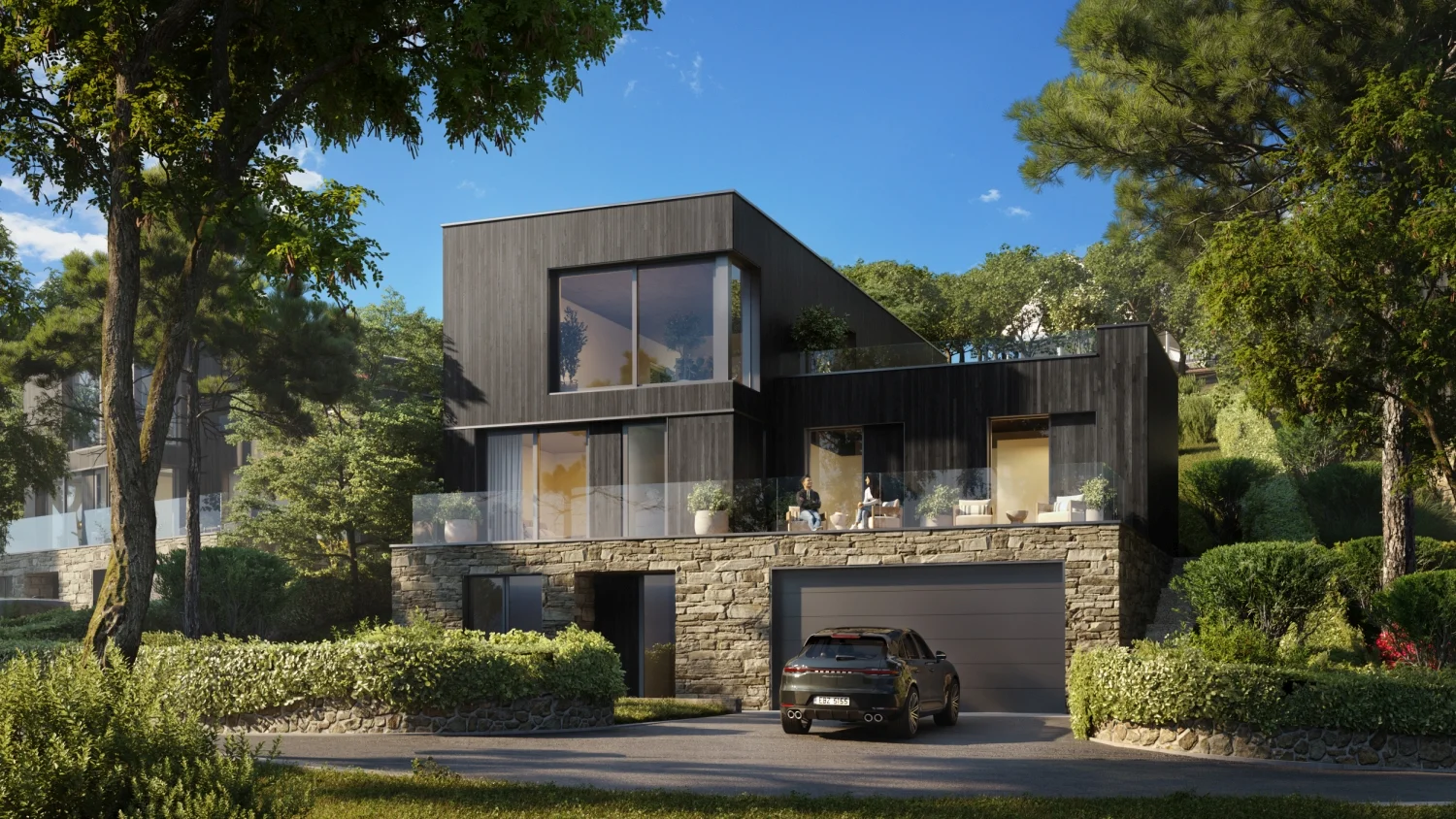
Private house CGI made by PIXREADY using exterior rendering software
Top Best Exterior Rendering Software in 2026
The most widely used 3D exterior rendering software tools in 2026 include Lumion, Enscape, Twinmotion, D5 Render, V-Ray, Corona Renderer, Chaos Vantage, and SketchUp with AI plugins.
Ranging from real-time engines built for speed to offline renderers that prioritise photorealism, these tools serve a range of needs, from quick client reviews to full-scale marketing campaigns. For a wider view of the tooling landscape, the guide to the best CGI software covers additional options across different production contexts.
Lumion
Best for: Fast Architectural Visualization and Landscape-Rich Exterior Scenes
Lumion is genuinely fast. An architect with a tight deadline can go from an imported model to something presentable without a painful wait. The vegetation library is deep enough to make landscape-heavy projects feel effortless, which is part of why it has a strong following among teams who work on residential and urban schemes. Its landscape rendering capabilities in particular are hard to match at this speed.
The honest limit: photorealism. Lumion is a strong candidate for the best software for exterior rendering for speed-first briefs, it just does not always get you to exceptional. Think of it as a very capable sous chef: brilliant under pressure, but you would not send the tasting menu out without the head chef eyeing the plate first.
Pricing: $235 to $1,511 per year, depending on tier.
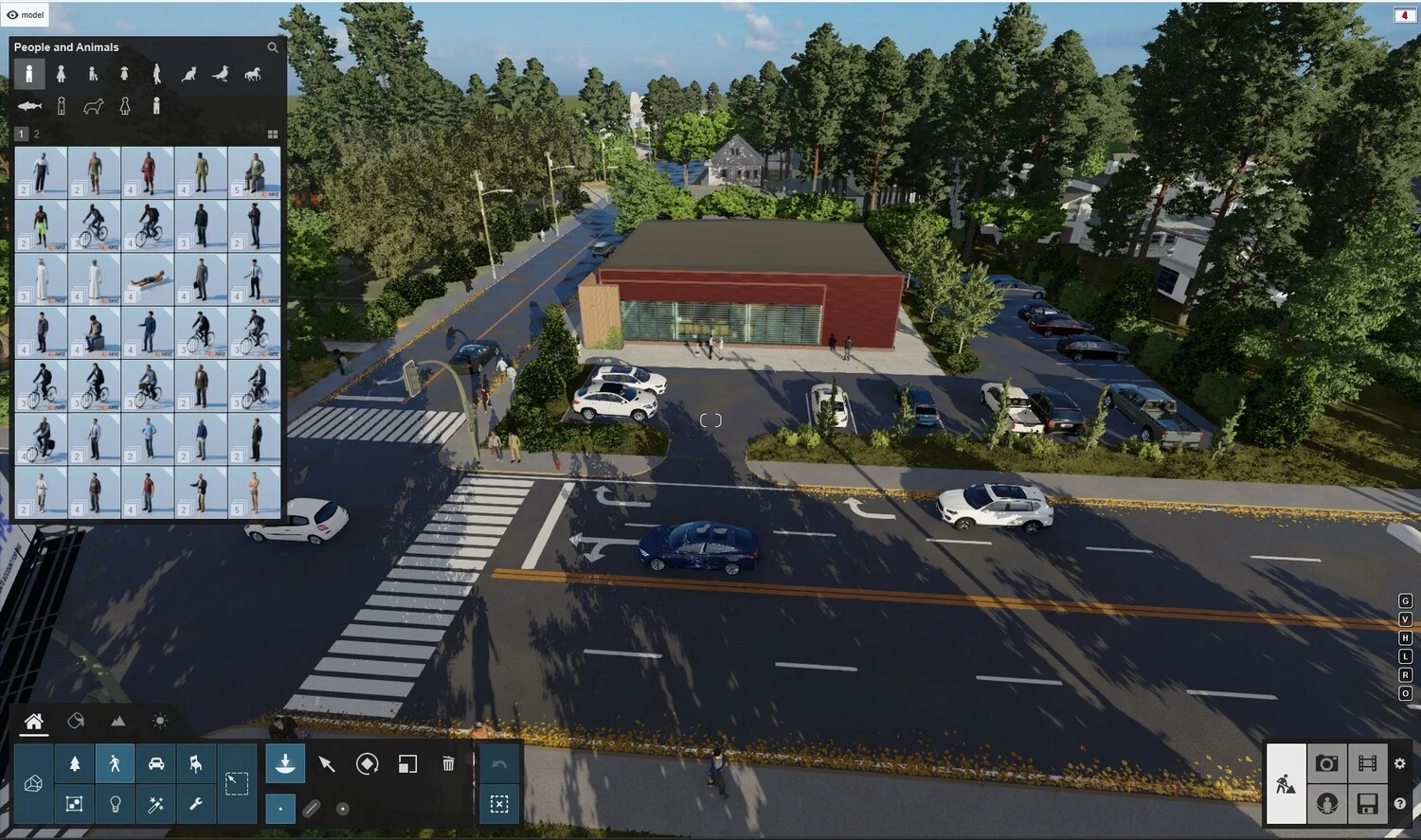
Visualization project in Lumion
Enscape
Best for: BIM-Based Workflows and Real-Time Design Reviews
As 3D exterior rendering software goes, Enscape is quite unusual. It does not ask you to leave your modeling software. It lives inside Revit, SketchUp, Rhino, and Archicad, updating the render viewport as you work, with no exports, no tab-switching, no waiting. For teams iterating on design with clients physically in the room, that kind of real-time feedback loop removes friction that most people do not realise was costing them time.
85% of the globally recognised top 100 architecture firms use Enscape. This speaks more to workflow fit than to raw output ceiling. VR walkthrough support turns up more than you might expect in high-end client presentations, particularly when a static image fails to communicate scale.
Pricing: Around $700 per year for a fixed-seat license.
Twinmotion
Best for: Cinematic Exterior Presentations and Urban Visualization
Twinmotion is built on Unreal Engine, and that heritage shows fast. The same pipeline behind AAA game titles handles cinematic lighting, animated crowd systems, live weather, and real-time global illumination here. As 3D rendering exterior software for large developments, it can make a building that exists only in CAD feel like somewhere you could actually walk into on a Tuesday morning.
Studios under $1 million in annual revenue can use it commercially for free. For teams still building out their production setup, that is a more generous entry point than most tools offer.
Pricing: $260 to $1,080 per year per user. The higher tier adds Unreal Engine and RealityCapture access.
D5 Render
Best for: AI-Assisted Exterior Rendering and Fast Production
D5 sits in interesting territory. As 3D rendering software for exterior design, it runs a GPU-accelerated real-time engine with AI tools, wired into the pipeline from the start. Image quality goes up without render time following it, which most tools cannot honestly claim. Live-sync handles Rhino, ArchiCAD, and the other major platforms without friction.
Most freelancers and small studios land on D5 for one reason: Lumion-range output at a fraction of the cost. Unlike heavier 3D rendering exterior software, D5 does not punish beginners. Not the tool you reach for when the brief demands V-Ray-level precision — but for fast, high-quality turnarounds on a realistic budget, it is a serious contender.
Pricing: Free community edition. Pro is approximately $360 per year. Team plans at around $60 per seat per month on annual contract, two-seat minimum.
V-Ray
Best for: High-End Photorealistic Exterior Rendering
V-Ray has held the photorealism benchmark for professional archviz studios long enough that questioning it feels academic. Nothing about that has shifted. Among all 3D rendering exterior software options, V-Ray’s combination of ray tracing, physically accurate lighting, and a material system capable of replicating almost any real-world surface is what keeps it in pipelines even when faster tools are sitting right there.
Patience is non-negotiable here. Render times are counted in minutes and hours, not seconds, and real fluency with the software takes sustained effort to develop. When the output is final marketing imagery — the kind that ends up in a sales brochure or an investor deck — V-Ray is widely considered the best software for exterior rendering at that level of quality. The gap between it and anything faster is not subtle.
Pricing: $625 to $695 per year. Monthly options from $52 to $105.
Corona Renderer
Best for: Architectural Still Images and Simplified Photorealism
Corona takes photorealistic rendering and strips out the parts that slow most people down. Other tools at this quality level make you earn every good image; Corona tends to hand them over more readily. As best 3D software for exterior rendering stills, it strips away complexity that other tools leave on the table. The learning curve that feels like a cliff face elsewhere is closer to a gentle slope here, with most people producing work they are satisfied with within a day of first opening it.
It runs on 3ds Max and Cinema 4D, handles daylight and physical materials reliably, and ships with a free asset library. Particularly well-suited for residential rendering studios whose main output is high-quality exterior stills rather than animations or real-time walkthroughs. For teams choosing the best software for exterior rendering that prioritises simplicity, Corona is hard to beat.
Pricing: $75 to $84 monthly.
Chaos Vantage
Best for: Large-Scale Real-Time Ray-Traced Scenes
When it comes to best rendering software for exterior rendering at scale, Chaos Vantage stands apart. Most real-time tools approximate ray tracing to keep frame rates manageable, like a chef going by feel rather than the scales. Vantage does not shave anything. Full ray tracing runs inside a live viewport at complete quality, even in scenes heavy enough to stall everything else. Dense BIM files, large CAD assemblies, complex layered materials — this is where it earns its place.
Studios already deep in the Chaos ecosystem will find the fit natural: .vrscene files from V-Ray, Enscape, and Corona read natively. As 3D software for exterior rendering within the Chaos stack, USD and MaterialX support means it means no pipeline rebuild required.
Pricing: Free as a standalone product for a floating license.
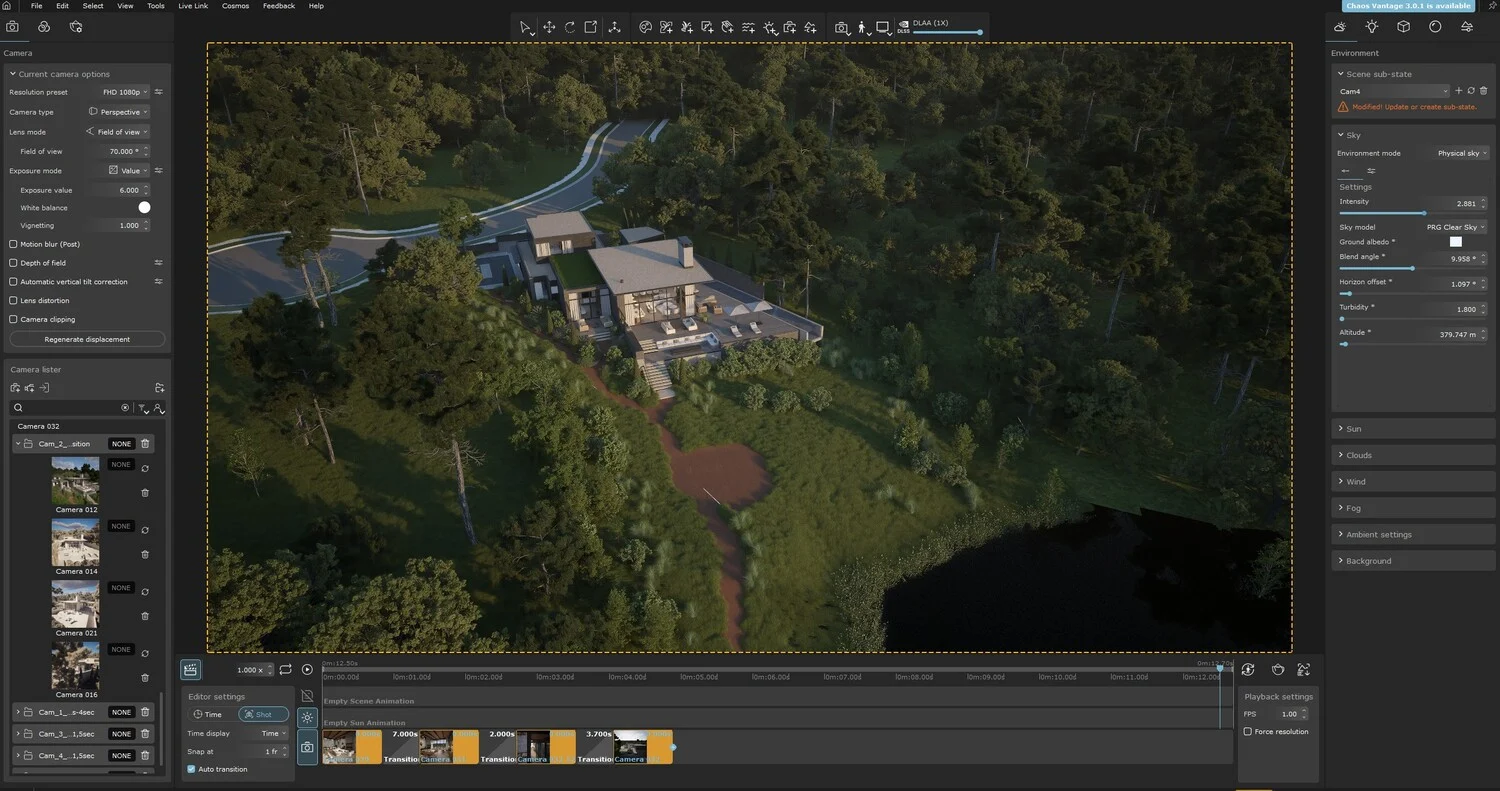
3D Exterior Rendering with Chaos Vantage software
SketchUp
Best for: Conceptual Exterior Visualization
SketchUp is not a renderer on its own. But as 3D software for exterior visualization it has been embedded in architectural workflows long enough that most teams already know it by muscle memory. What it lacks natively, plugins supply — Enscape, V-Ray, Lumion, or a growing set of AI-powered options that are closing the quality gap at a pace few expected.
For conceptual and early-stage presentations, SketchUp as 3D design software for exterior work is a practical and cost-effective choice. The upgrade path is clear when requirements grow.
Pricing: SketchUp Pro from $132 per year. Plugin costs vary by tool.
Quick Comparison Table: Best Software for Exterior Rendering in 2026
Tool
Best For
Real-Time
Photorealism
Starting Price/Year
Lumion
Fast exterior visualization
Yes
Moderate
~$232
Enscape
BIM integration
Yes
Moderate
~$630
Twinmotion
Cinematic presentations
Yes
Moderate–High
Free / ~$270
D5 Render
AI-assisted production
Yes
High
Free / ~$360
V-Ray
Final-image photorealism
No
Very High
~$625
Corona Renderer
Architectural stills
No
Very High
~$436
Chaos Vantage
Large-scale ray tracing
Yes
Very High
Free
SketchUp + Plugins
Conceptual visualization
Varies
Varies
~$132+
3D Rendering Software for Exterior Design vs. 3D Rendering Services
When Software Works Well
In-house rendering makes the most sense when production is consistent, meaning regular output, trained artists on staff, and project types that do not jump around too much. For internal reviews, early iterations, and drafts that never leave the building, keeping it in-house is practical and cheaper.
Common Challenges of In-House 3D Rendering
Scale and deadline pressure tend to expose the cracks. Running 3D software for exterior rendering in-house means owning the hardware: a workstation capable of handling complex exterior scenes without bottlenecking typically costs $3,000 to $6,000 or more. Layer software licenses on top, factor in training time and the hours lost diagnosing lighting problems and misbehaving materials, and the cost per image climbs quietly. The rendering cost guide has a full breakdown of what these numbers actually look like.
For teams that are not rendering every week, the cost per image has a way of quietly ballooning.
When Professional 3D Rendering Services Make More Sense
Once the output is client-facing, the tolerance for inconsistency drops to zero. Marketing assets, sales imagery, launch visuals — every one of them has to hold the same standard. Choosing professional exterior rendering services over 3D exterior rendering software run in-house means access to visual storytelling experience that most internal teams never get the chance to build, because it is not what they are there for.
Quick Comparison: 3D Design Software for Exterior Rendering vs. Professional Studio
Factor
In-House Software
Professional Studio
Initial Cost
Lower entry cost
Higher project-based cost
Long-Term Cost
Efficient for frequent internal use
Efficient for occasional or high-value projects
Learning Curve
Steep
Minimal for the client
Visual Quality
Depends on team skill level
Consistently high-end
Production Speed
Slower for inexperienced teams
Faster for large-scale projects
Scalability
Limited by internal resources
Easily scalable
Hardware Requirements
Significant upfront investment
Managed externally
Marketing Expertise
Limited
Strong visual storytelling
Flexibility
High internal control
Collaborative workflow
Best For
Internal concepts and drafts
Client-facing and commercial visuals
Benefits of Working With a Professional Studio
Software handles the mechanics. Everything between technical execution and an image that actually moves a buyer or investor is where a studio earns its fee — and that distance is larger than most clients anticipate until they see the two approaches side by side.
Consistent photorealistic quality. A professional studio delivers best exterior rendering software results without the learning curve. Every deliverable in a campaign holds the same standard — asset fifty looks like asset one. Quality does not slip between team members, and it does not slip when a deadline tightens either.
Advanced lighting and material expertise. People who spend every working day in these tools develop an instinct for light and materials that occasional users simply do not build. It is the difference between knowing the rules and understanding why they exist — and it shows up clearly in every image they produce.
Faster delivery on complex briefs. Projects with several buildings, staged campaigns, or continuous visuals over a full sales cycle quickly reveal the limits of in-house teams. Dedicated specialists handle that scale without creating bottlenecks.
Access to the right talent. Architectural illustrators, art directors, CGI artists, and animators can each focus on their own craft instead of juggling every role at once.
Marketing-oriented output. There is a visible difference between a render that documents a project and one that sells it. Studios are trained to close that gap — they think about where the viewer’s eye lands, what the image makes them feel, and whether it is doing its commercial job. The villa rendering guide shows what that difference looks like in practice for luxury residential projects.
Reduced internal workload. Architects and design teams stay focused on what they do. The visualization pipeline runs separately.
Residential Complex Rendering project by PIXREADY
When the Best 3D Software for Exterior Rendering Is Not Enough
Not every project requires a studio, but some contexts make the answer fairly obvious.
Projects where outsourcing makes sense
Real estate marketing campaigns, investor decks, luxury residential developments, commercial architecture projects, urban planning visualizations, competition entries, hospitality, and mixed-use schemes. When you need best rendering software for exterior rendering results that move fast and hold consistent quality, a studio delivers what property rendering platforms alone cannot. What ties them together: the visual is not filing a report. It is doing commercial work.
When quality has a direct business impact
Visuals carry real business weight during pre-sales campaigns, investor pitches, crowdfunding launches and premium property branding. The render is not there to back a decision; it is there to spark one. 3D rendering exterior software is only one part of the equation. What separates studio output is the specialist talent, established workflows, and commercial experience that ensure every visual performs at the level the market demands. A weak image at this stage does not simply fall short; it drains money. The goal is not “good enough to understand.” It is “good enough to sell.”
Why Choose PIXREADY Instead of 3D Rendering Exterior Software Alone
Building internal 3D design capabilities for exterior rendering is a significant investment — hardware, licenses, training, and the ongoing cost of managing it. For many brands, it tends to cost more than it returns, particularly when project volume is uneven or the quality bar moves between campaigns.
PIXREADY runs a production model designed for marketing and sales output, not internal drafts. AI handles the early-stage work: generating concepts, exploring creative directions, iterating fast. Human artists step in wherever precision is non-negotiable: geometry, materials, lighting, final image control. The exterior rendering guide covers how 3D exterior rendering software fits into this workflow at every stage, from initial concept through to delivery.
No hardware to procure, no team to staff or retain, no production fires to manage. Rather than evaluating the best 3D software for exterior rendering on the market, clients give the brief to a studio that already runs the full stack at scale. The output covers architecture, real estate, hospitality, product, and commercial sectors — stills, animation, aerial visualization, virtual tours, 3D configurators.
The infrastructure is already there. That is why turnarounds are faster and why quality does not unravel when the job gets bigger.
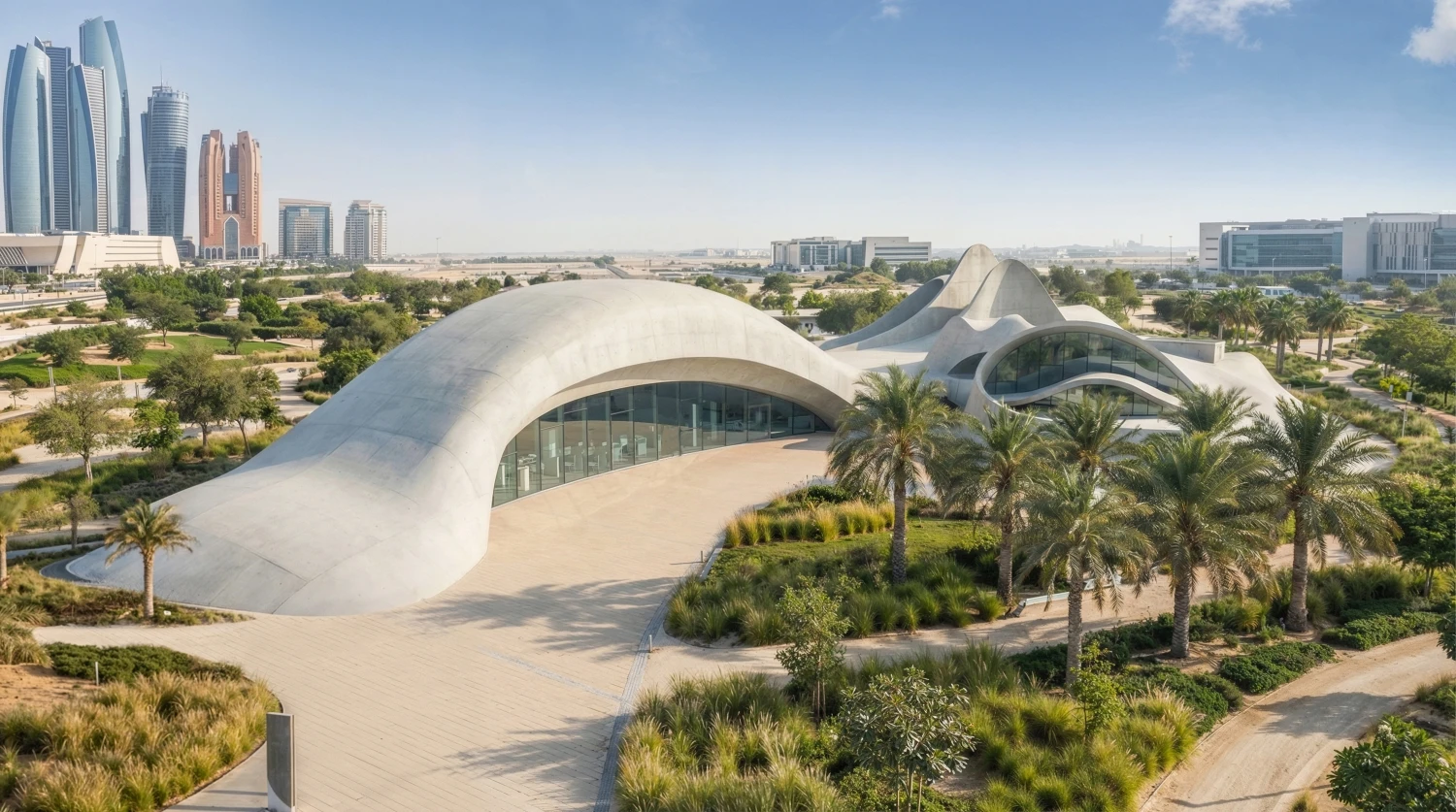
Case Study: Bionic Architecture — Public Landmark Concept
The project explored marrying AI-generated mood boards with airtight 3-D craft through a hybrid AI workflow. Generative tools churned out dozens of atmospheric directions. 3ds Max modeling locked form, proportion, and material consistency, the part AI alone tends to lose. Final output: sharp stills and a sweeping fly-through built for stakeholder presentations.
Software has lowered the barrier to visualization, but a low barrier is not the same as a good outcome. The tools keep getting sharper, and so does the distance between what a dedicated studio produces and what most in-house setups can sustain under real commercial pressure. Choosing the best one is only part of the question. The harder part is whether your team has the time, hardware, and depth to use it at the level your projects actually need.
For projects where the visual is carrying real commercial weight, that gap has a price tag. The best software for exterior rendering workflows, and the team to run them properly, already exist inside a professional studio — without the overhead of building any of it yourself. Quality rendering is not a line item. It is a sales decision.
No items found.
Share this post:
Get 3d expert on your side
More than a 3D rendering vendor, PIXREADY acts as a strategic CGI partner helping brands сreate scalable visual content for marketing, sales, and product launches. Let's explore your project and discuss how CGI can support your business goals!
Stas Dunaevskiy is an Account Manager and Business Development Specialist at PIXREADY, a company focused on scalable CGI production and architectural visualization. He helps clients explore the possibilities of cutting-edge CGI technologies, with a special focus on immersive 3D walkthroughs, virtual tours, and architectural visualization. He has worked with real estate developers, construction companies, and product manufacturers, guiding them toward solutions that bring their projects to life and support business goals. With his consultative approach, Stas ensures that each PIXREADY project combines creative vision with the latest advancements in 3D visualization.
.webp)
.webp)

.webp)

.webp)